Operator Calculus, Co.

Oakfield Mathematics · Software

Oakfield Studio

A modular synthesizer for mathematics.

Compose, evolve, and visualize PDEs, SDEs, and beyond through an expressive operator algebra.
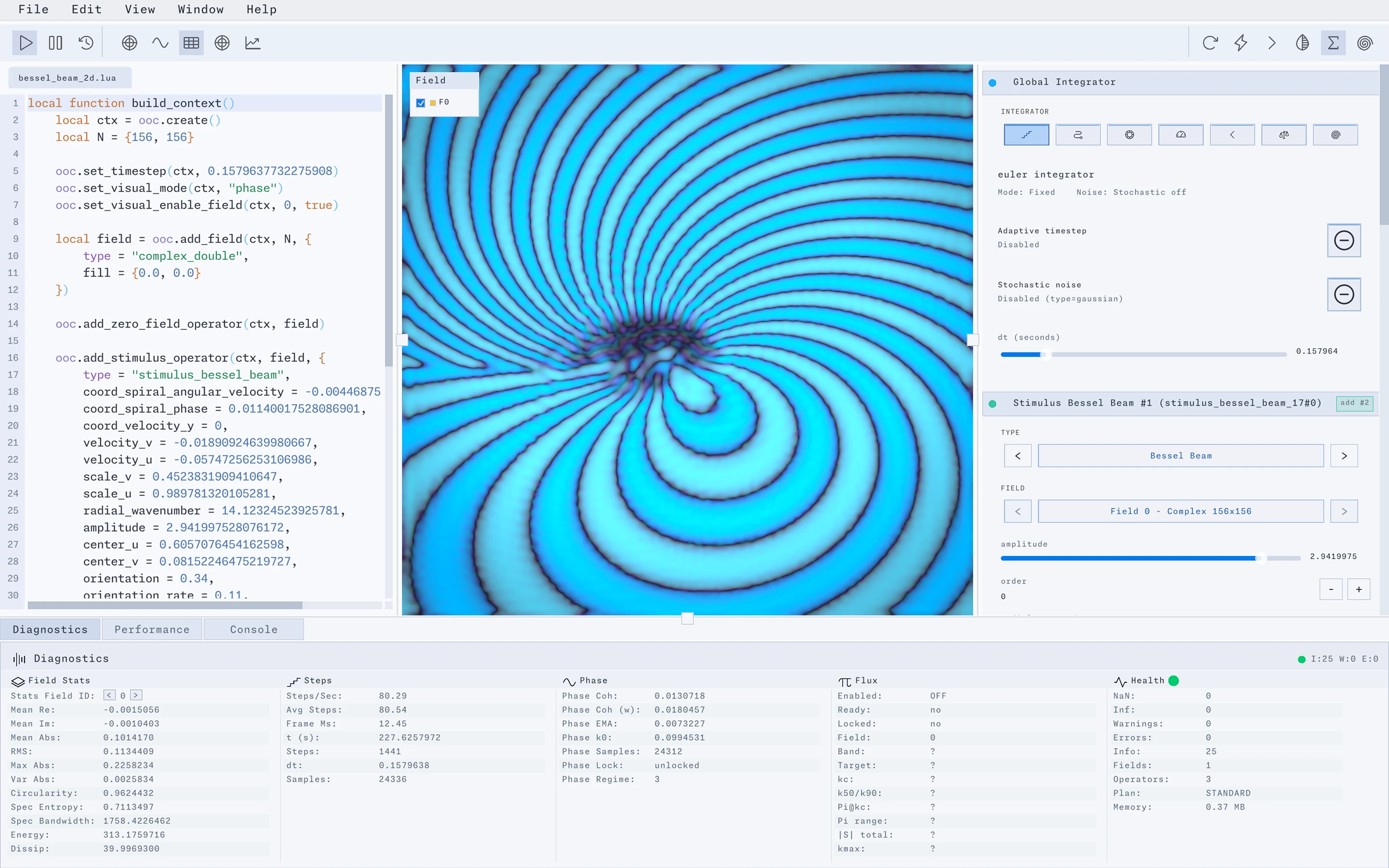
Oakfield Studio with a Bessel-beam Lua script, a blue spiral field, global integrator settings, and stimulus controls.
Fig. 1 — A Bessel-beam field, with global integrator and stimulus settings visible.Studio interface · View full size

Fields, operators & live instruments

Compose

Modular operators

Chain analytic warps, remainders, sieves, and stochastic operators like modules in a patch bay.

Principles & Vision

Evolve

The Lua interface

Write simulations in Lua. Define fields, compose operators, and choose an integrator.

Explore the Lua API

Observe

Live instruments

Inspect evolving fields through traces, phase portraits, and spectral views.

Visualization reference

Inside Studio

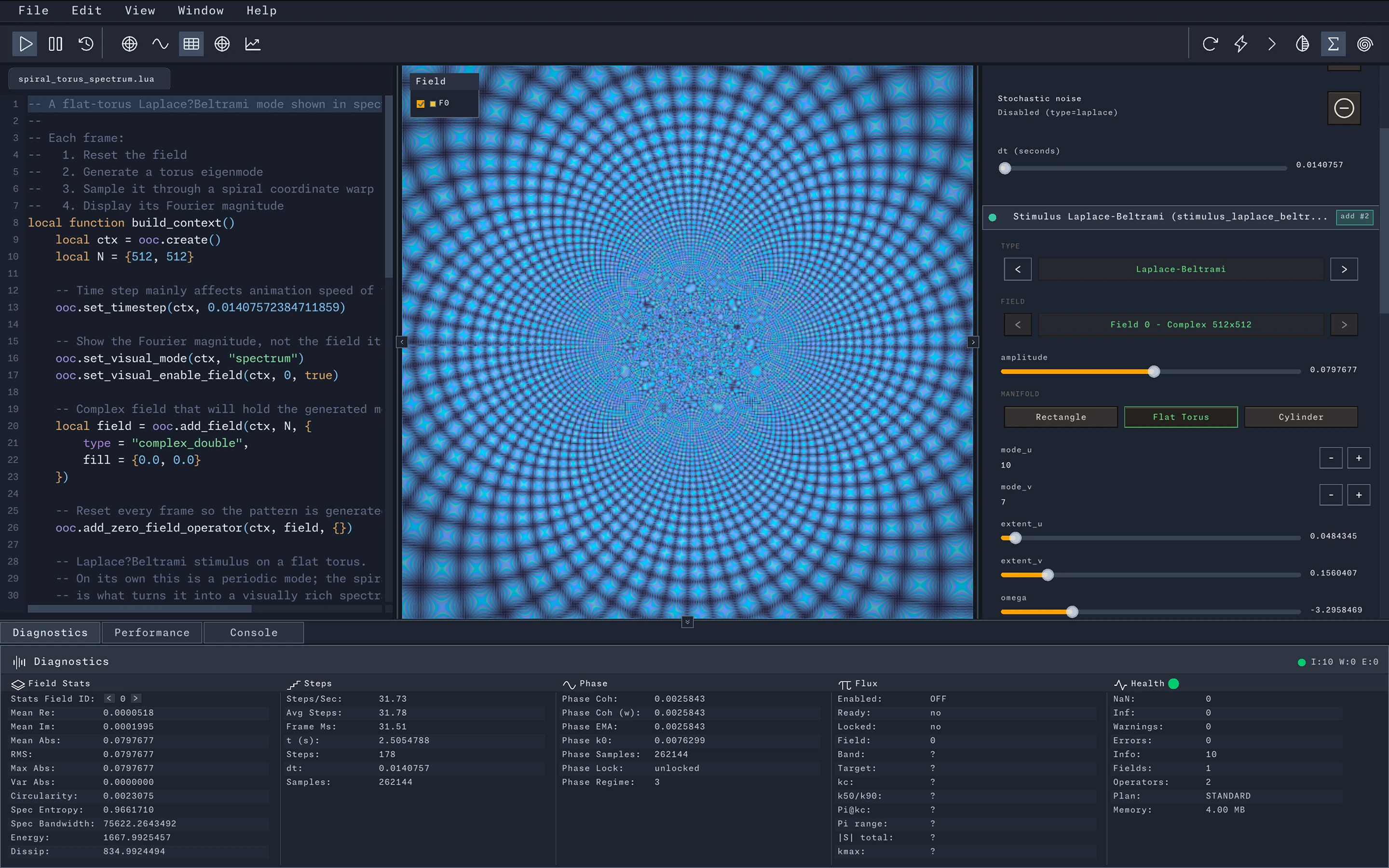
Oakfield Studio in a dark theme with a spiral torus Lua script, a blue Fourier-spectrum view, and Laplace–Beltrami stimulus controls.
Fig. 2 — A Fourier-spectrum view of a flat-torus mode sampled through a spiral coordinate warp.Studio interface · View full size

The reading room

From a first experiment to the underlying calculus

Begin with an example
Create a context and field, then run a simulation.
Explore the architecture
Fields, operators, integrators, and the runtime.
Read the mathematics
Operator calculus and its compositional foundations.

A closer look at the instruments

The editor, field display, controls, and diagnostic panels each offer a different way into an experiment. These clipped views show individual parts of the interface; open a full screenshot to see how they fit together.

Detail 1 · Studio interface

Lua editor & completion
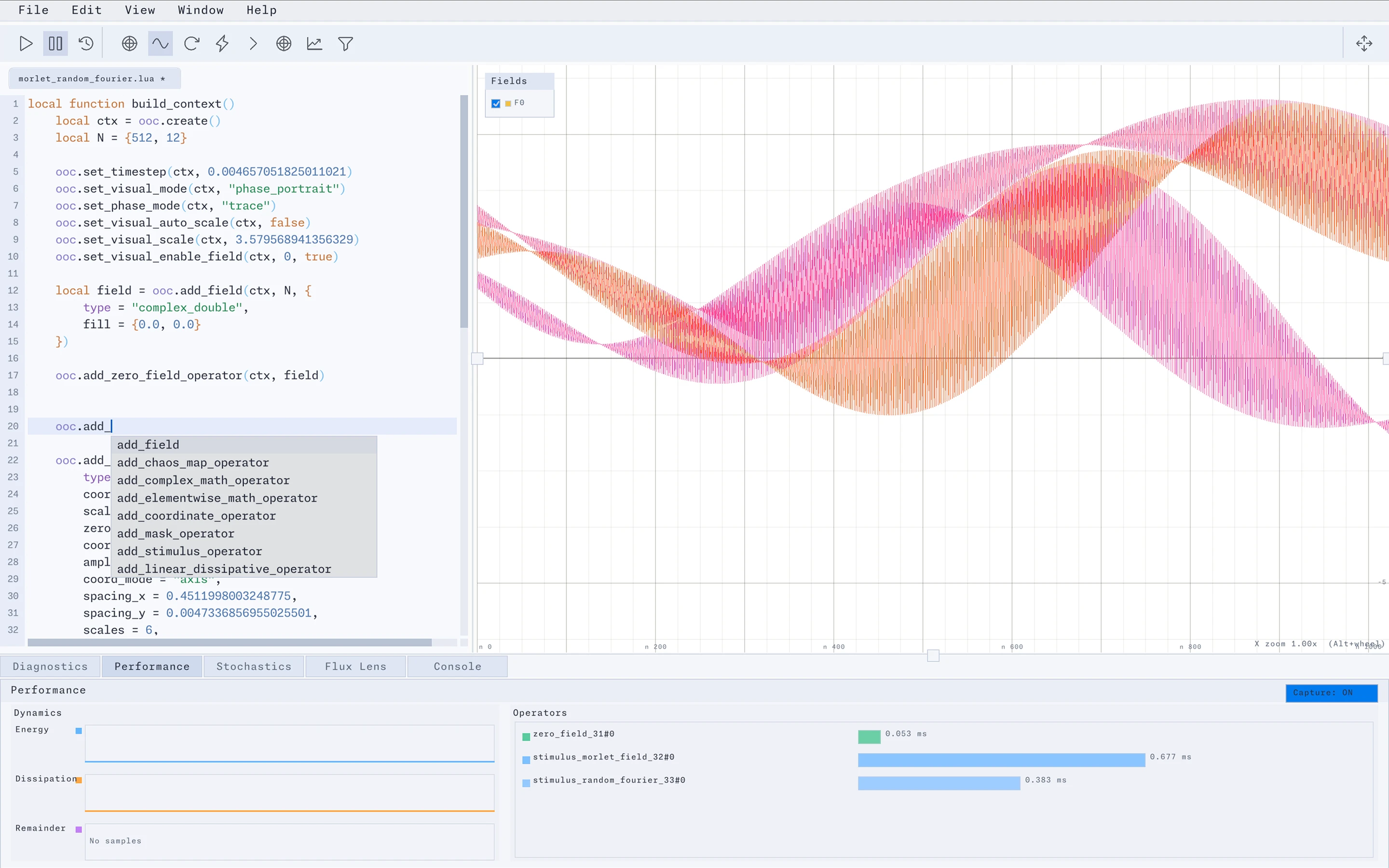
A close view of Studio’s Lua editor with completion suggestions for field and operator functions.
Completion suggestions sit alongside the script, including field creation and several operator families. Clipped interface view · View full screenshot
Explore the Lua API

Detail 2 · Studio interface

The field display
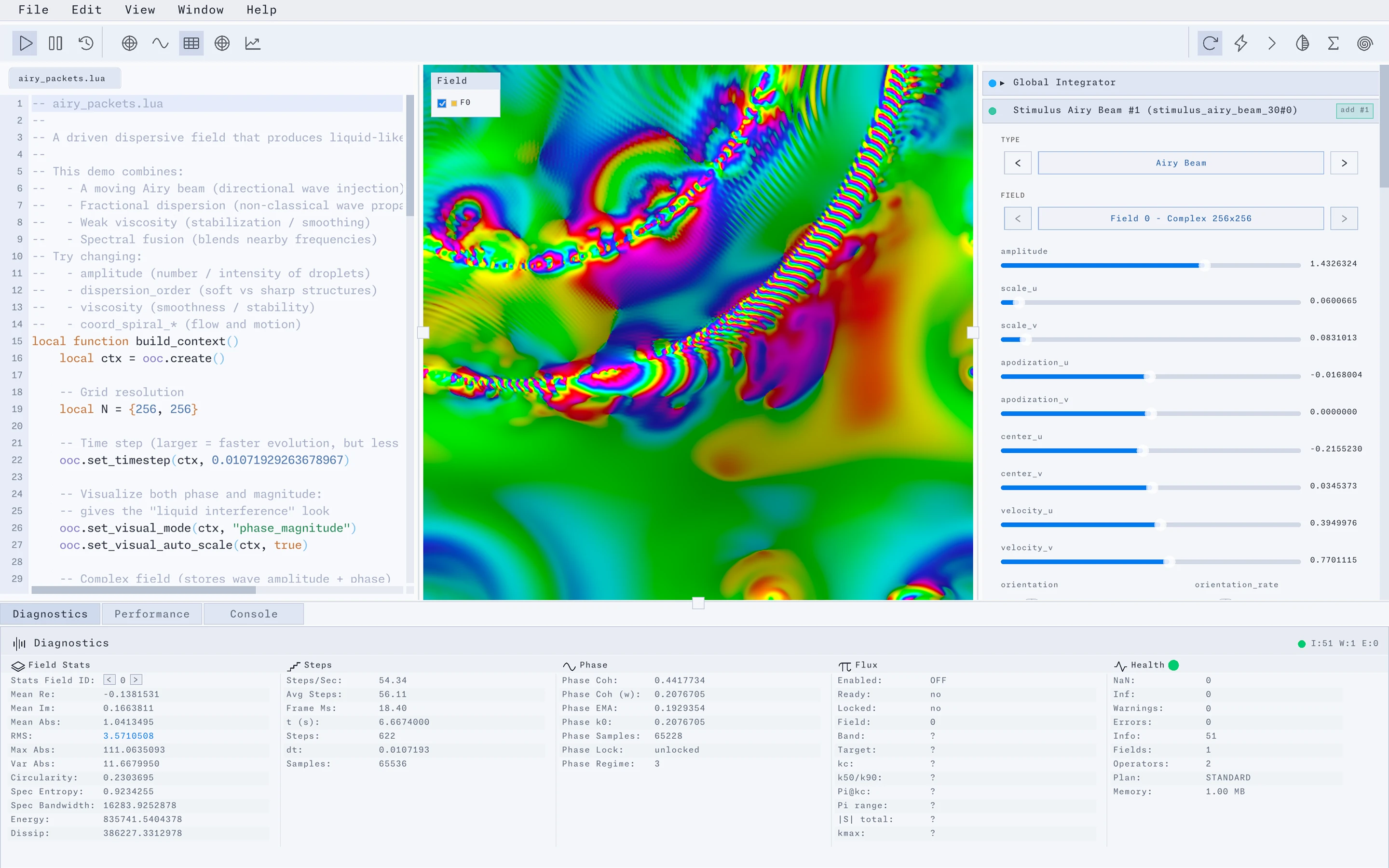
A close view of an Airy-beam field with green, blue, pink, and yellow patterns in Studio’s phase-and-magnitude display.
An Airy-beam experiment in the combined phase-and-magnitude view, with the field occupying its own visual workspace. Clipped interface view · View full screenshot
Read about visual modes

Detail 3 · Studio interface

Operator controls
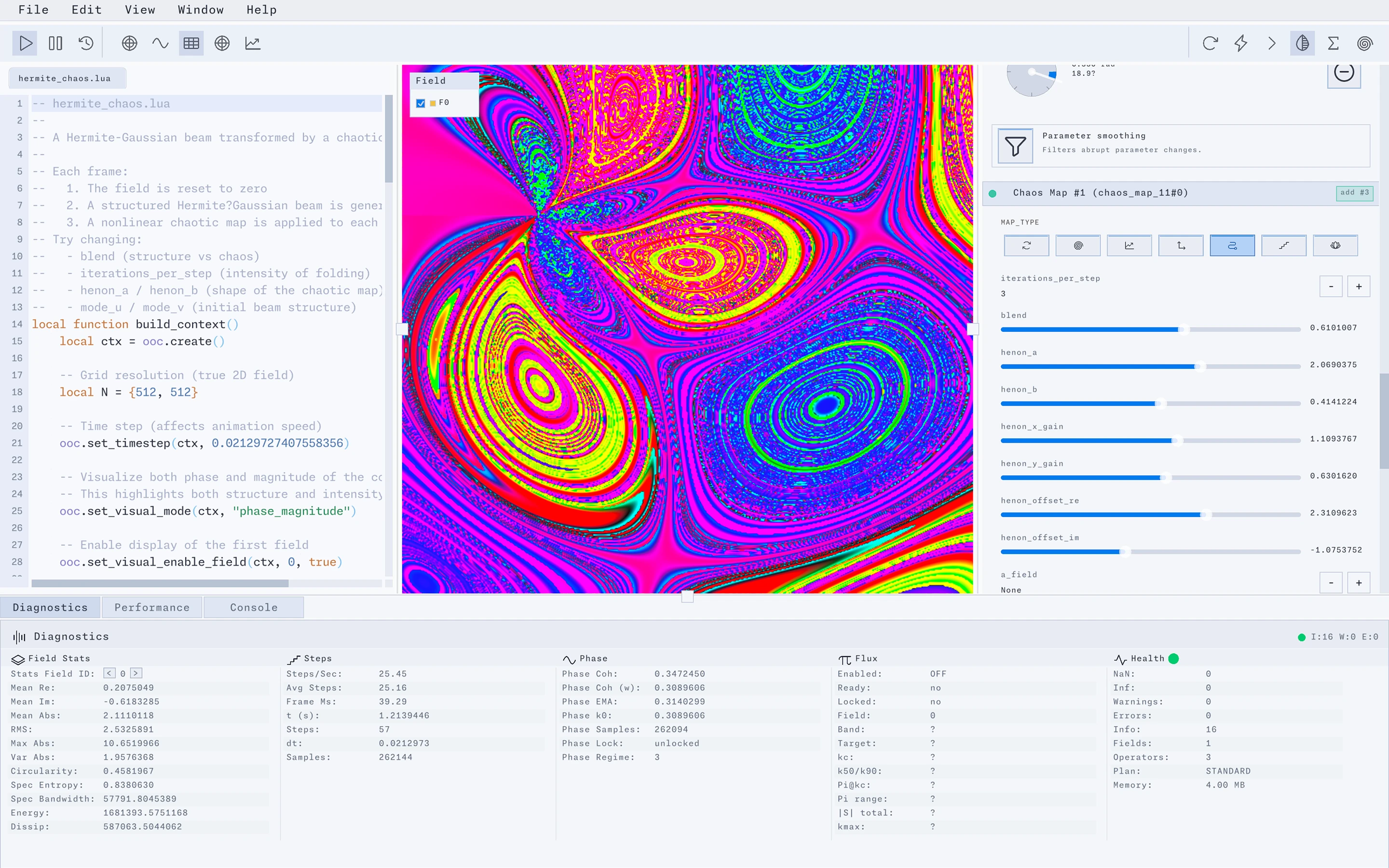
Studio’s Chaos Map panel with map-type buttons, blend and Hénon parameter sliders, and numeric values.
A chaos-map operator exposes its map type, blend, and Hénon parameters as controls beside the field. Clipped interface view · View full screenshot
Explore chaos maps

Detail 4 · Studio interface

Integrator settings

Studio’s Global Integrator panel with Euler selected, adaptive timestep and stochastic noise disabled, and a timestep slider.
The global integrator panel brings the integration method, timestep, and noise settings together. Clipped interface view · View full screenshot
Explore integrators

Detail 5 · Studio interface

Field diagnostics

Studio’s Field Stats panel showing real and imaginary means, RMS, spectral statistics, energy, and dissipation.
Field statistics provide a numerical companion to the image, including RMS, spectral statistics, and energy. Clipped interface view · View full screenshot
Read about field statistics

Detail 6 · Studio interface

Operator performance

Studio’s Performance panel with timing bars for zero-field, Morlet-field, and random-Fourier operators.
The performance panel shows separate timing bars for the operators in this experiment. Clipped interface view · View full screenshot
Explore the runtime architecture

Questions & answers

What is Oakfield Studio?

Oakfield Studio is a mathematical simulation environment for composing operators, evolving fields, and exploring differential equations.

What programming language does it use?

Simulations are scripted in Lua; the core engine is written in C. The API reference covers contexts, fields, operators, and integrators.

Where should I start?

Begin with the basic examples, or read Principles & Vision for the ideas behind the system.

Where are compatibility details and release notes?

The Mac App Store listing has the current system requirements and version history.